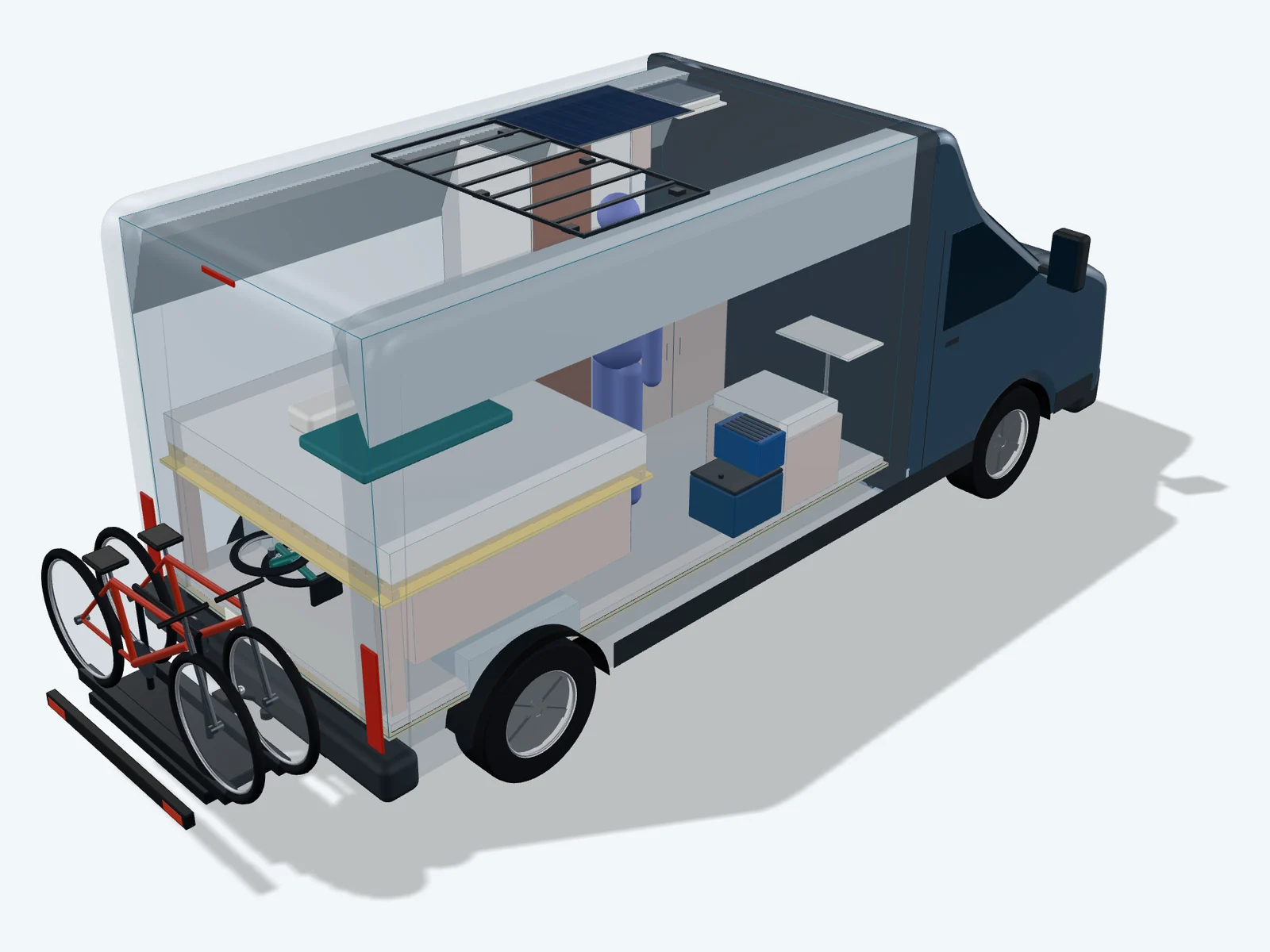
Van conversion without weight guesswork.

Plan your layout in 2D, see it live in 3D, and get instant analysis of axle loads, center of gravity, and tilt risk. Perfect for self-built furniture with real build methods and material — your technical edge for inspection approval.

VanLogic | Camper Planner: Axle Load, Weight, Payload

Weight and layout: two things nobody else connects

The most common reason a vehicle inspection fails isn't careless building — it's weight planning that only starts after the conversion is finished. That's why VanLogic combines two things no other tool offers together: one of the most detailed self-build environments for camper furniture — with eight real build methods, free material choice for the carcass, panelling, and fronts, and multi-part assemblies — and automatic weight calculation that turns exactly this data into real-time axle load, center of gravity, and collisions with the real vehicle structure. You're not just planning what your build looks like — you know from the very first click how it'll behave on the scale.
From the blog: weight, axle load, layout

Read our blog. What's important for van conversions? What are the dangers? How can you avoid them?

Guide

Camper Floor Plan Planning: The Ultimate Guide to Your Van Conversion

Reading time: approx. 18 minutes

From your first vehicle click to a finished inspection report: this guide uses real screenshots from the app to show you how to plan your floor plan, avoid collisions with the vehicle structure, keep weight and centre of gravity in view live, and choose the right build method.

Read the guide

Sprinter & Ducato: Calculating Payload and Weight the Right Way

Reading time: approx. 6 minutes

Most campervan builders make the same mistake: they start building without knowing how heavy their van will eventually be. Months later they're at the inspection — and the scale shows a number they didn't expect. This article shows you how to keep the weight of your Sprinter or Ducato build under control from the start. Not after the build. Before.

Read full article

44 base vehicles

How much payload does your base vehicle have?

Load area, standing height and the payload that really remains for the conversion once the legally required reserve is deducted — for every vehicle separately.

Nothing to install

Plan in the browser

The same calculation as the app – weight, axle loads, centre of gravity. On a computer in Studio, on the go in the web app.

For laptop and desktop

VanLogic Studio

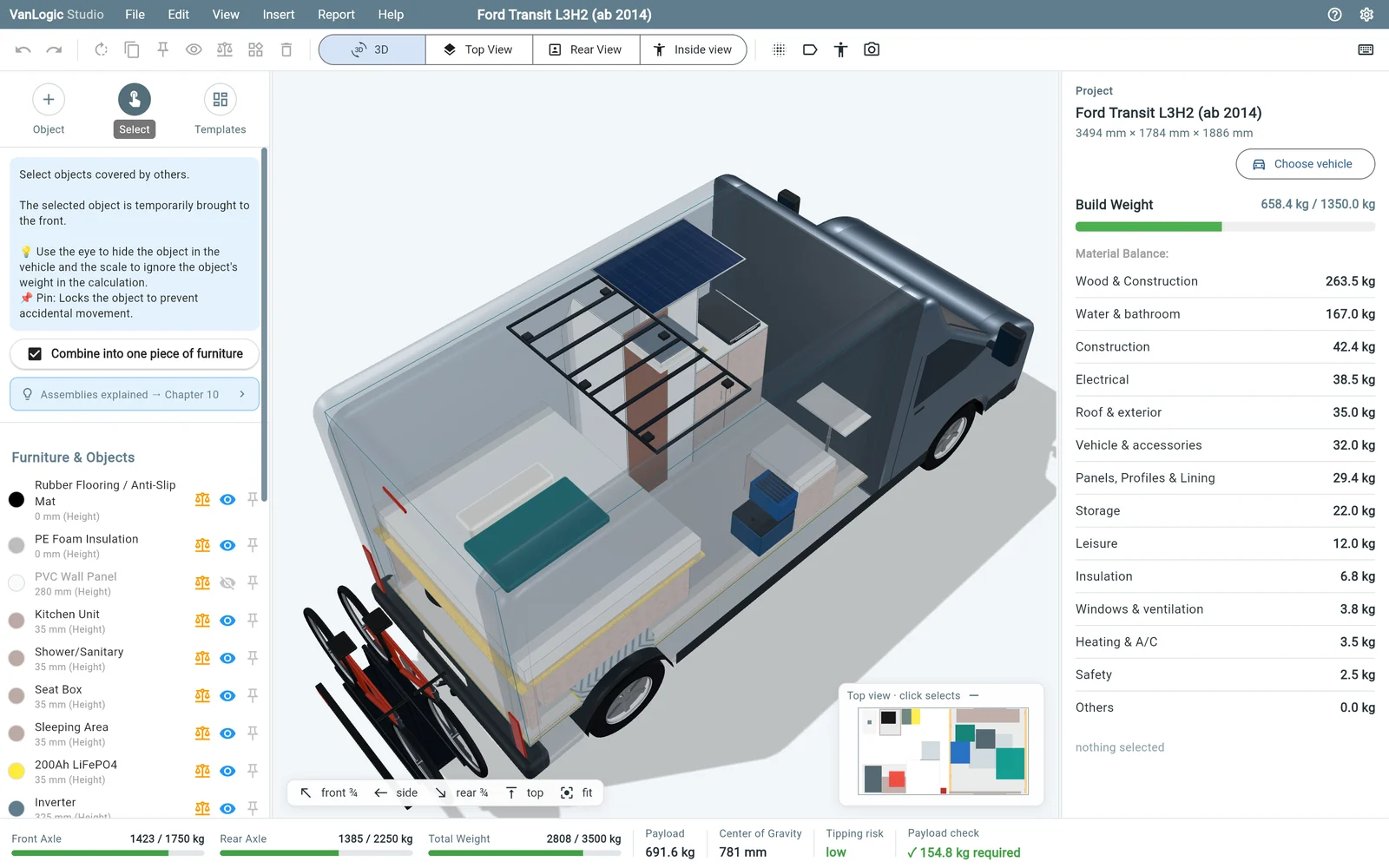
VanLogic Studio in the browser: 3D view of a converted Ford Transit with object list and weight balance
  • Big 3D view, top view and rear view
  • Mouse, keyboard shortcuts and an inspector for exact sizes
  • Conversion templates, assemblies, PDF report with Pro

For phone and tablet

Web app

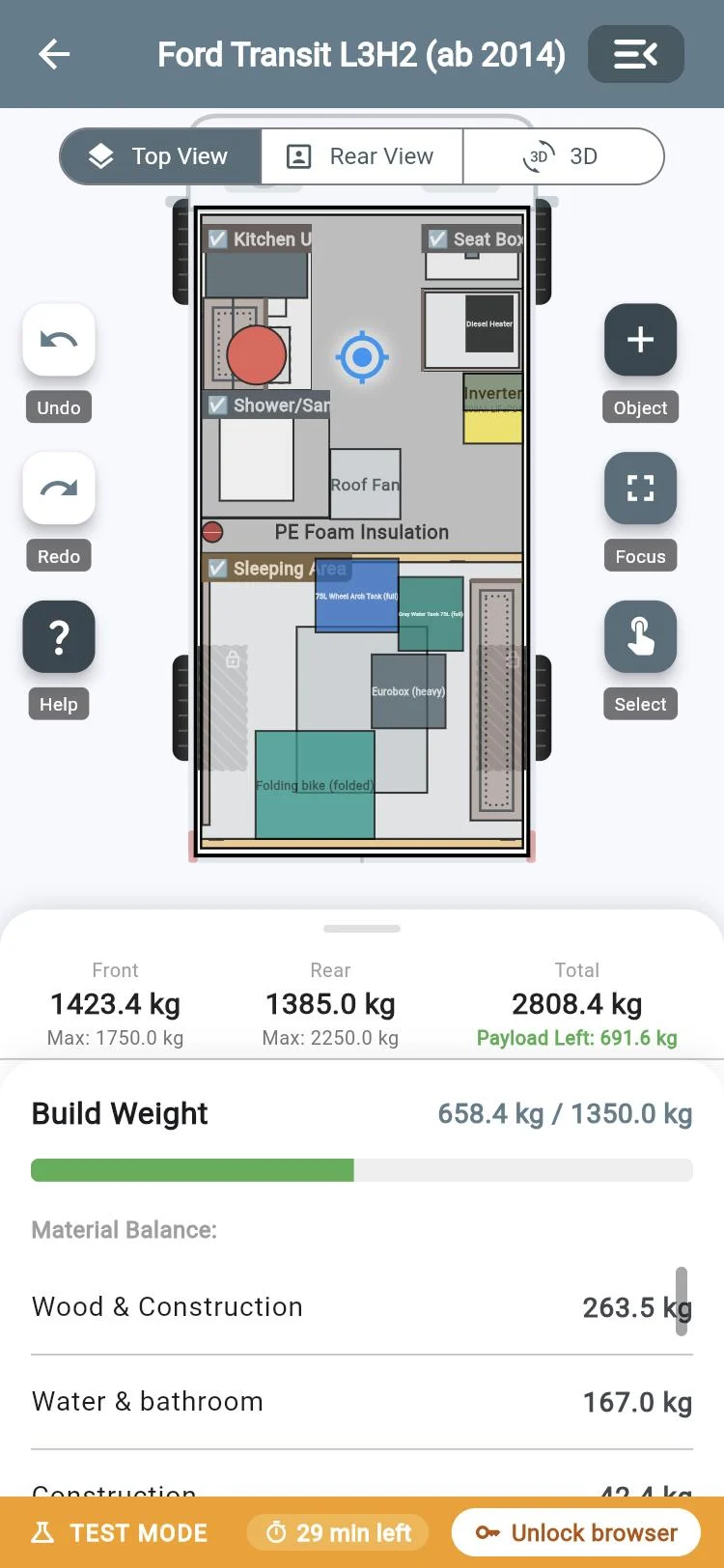
VanLogic web app on a phone: top view with axle loads and build weight
  • Works like the app on iPhone and Android
  • Right in the browser, nothing to install
  • Top view, rear view and 3D

Opens in its own window – this page stays open.

How it works

1Try it

All features unlocked, 30 minutes per plan. Your plan stays saved in the browser.

2Pro in the app

Buy it in the app – on iPhone or Android.

3Unlock the browser

Enter the code from the app. Up to 3 browsers, your plan from the app comes along. From app version 1.9.

What the app does

From the first cabinet to the inspection report — every function works with real material densities and real vehicle dimensions.

44 vehicles8 languagesmm or inchesiOS · Android · Web

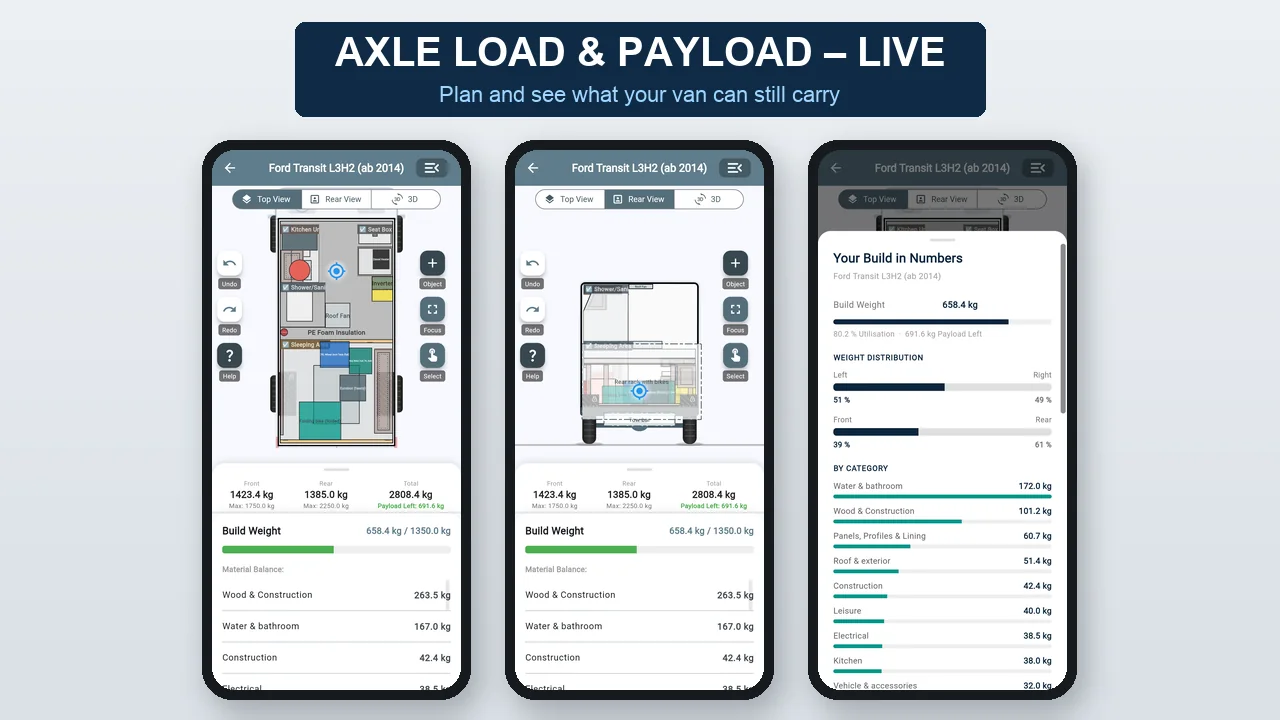
Axle load & payload live

"Do you know if your van is still legal?"

Every piece of furniture counts at once: front and rear axle load, payload, centre of gravity and tipping risk – green, yellow or red while you plan.

VanLogic – Axle load & payload live

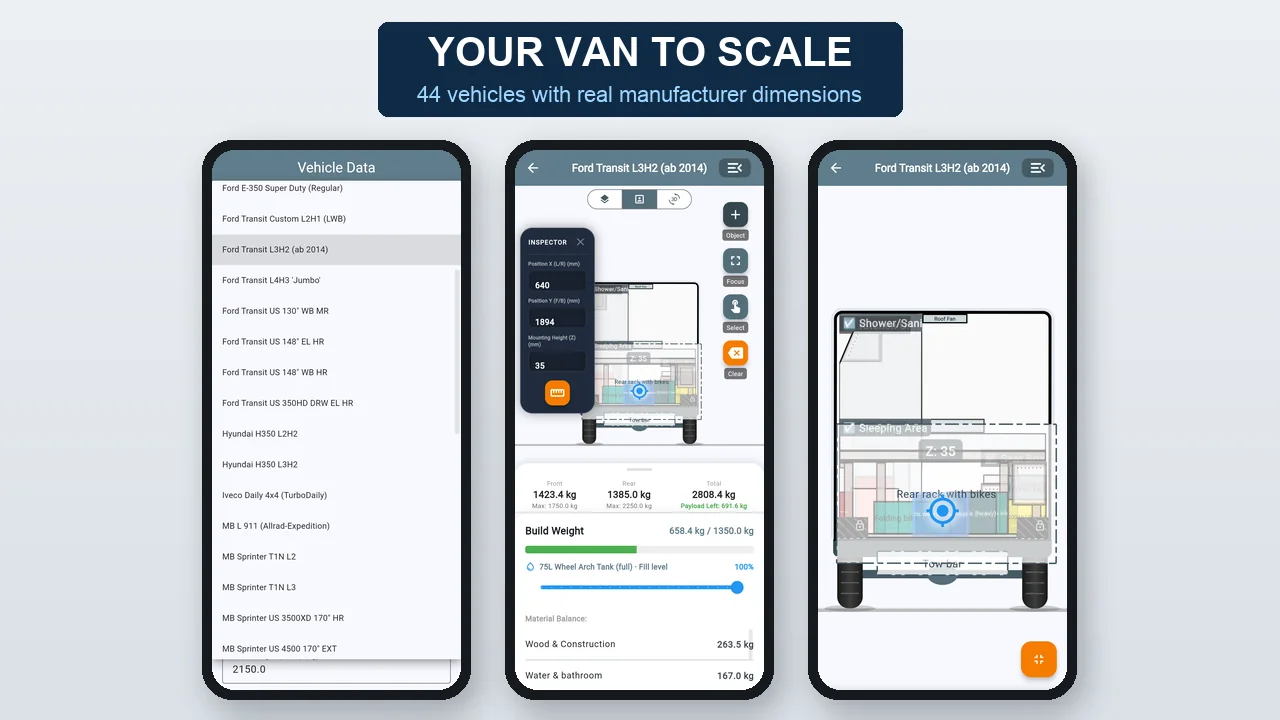
Plan with a tap

"Move, rotate, done."

Top view and rear view to the scale of your vehicle. 44 panel vans with real manufacturer dimensions, in mm or inches.

VanLogic – Plan with a tap

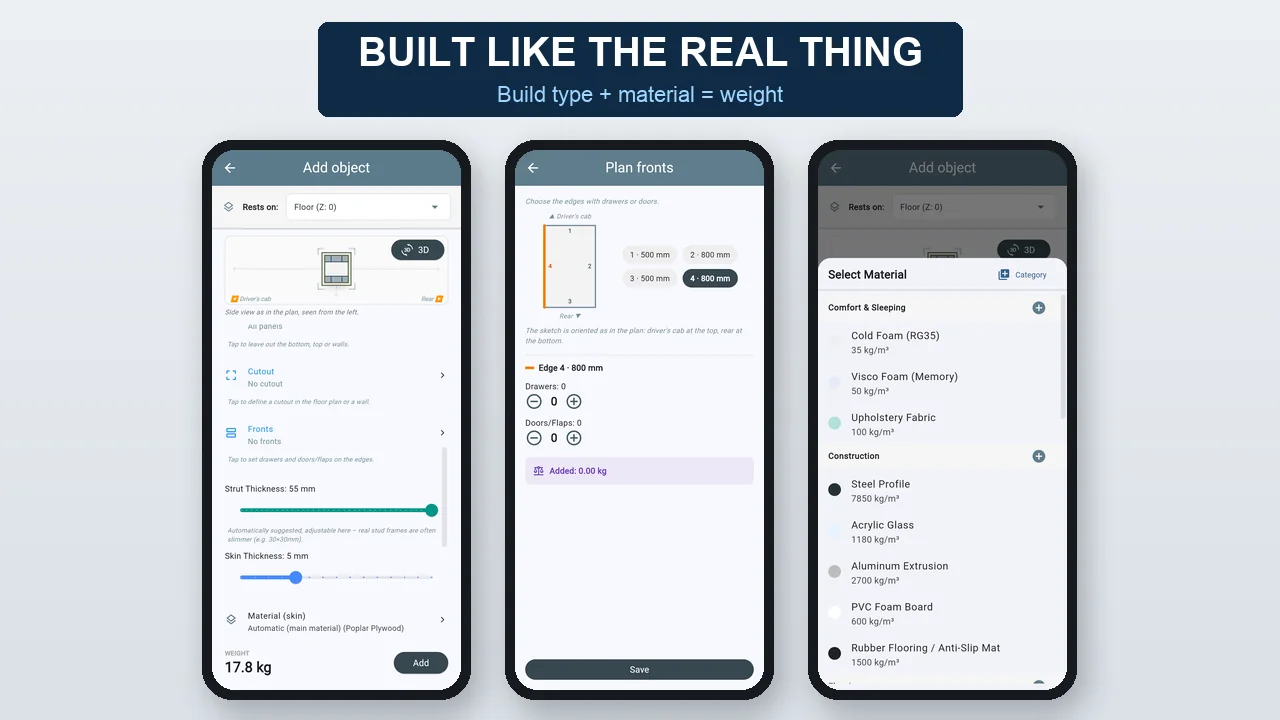
Custom build: weight from the build type

"You build, the app weighs."

Solid, box or frame with panelling, material with real density, plus shelves, drawers and doors. The app calculates the weight – you never type in kilos.

VanLogic – Custom build: weight from the build type

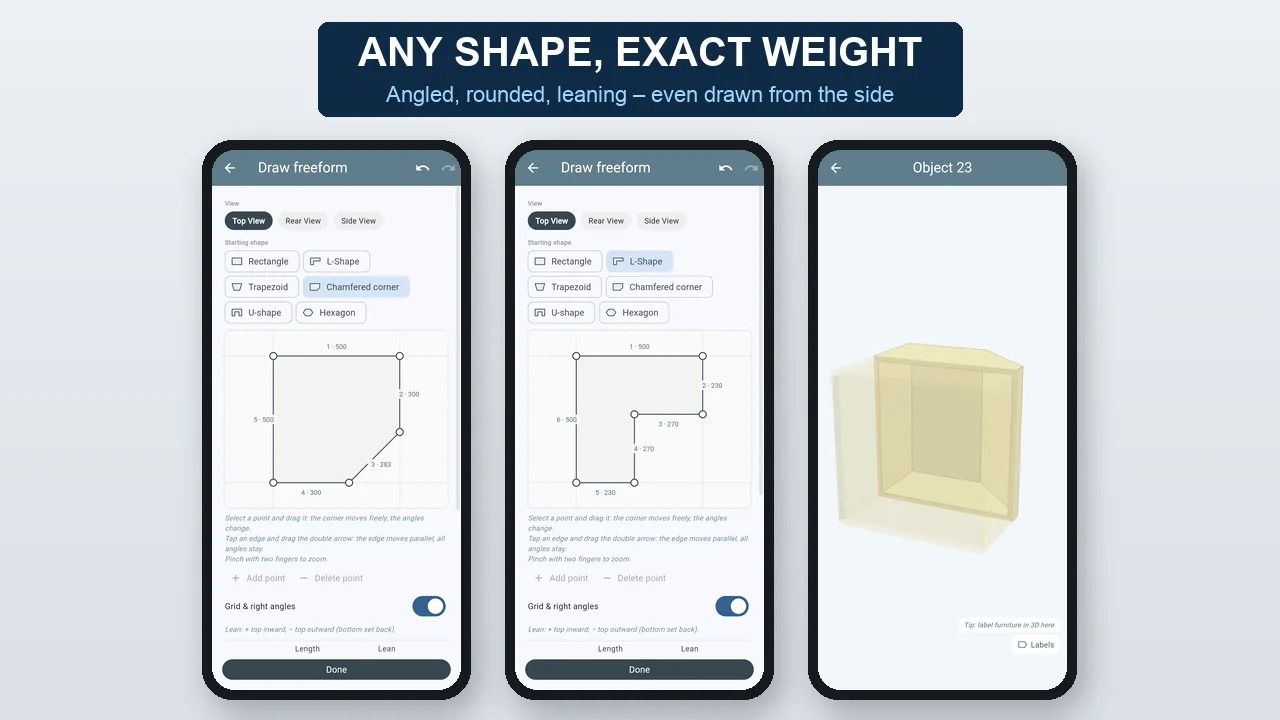
Freeform

"Furniture that fits exactly."

Angled corners, leaning walls, round corners, a shape drawn from behind or from the side – weight, plan and 3D use the real shape.

VanLogic – Freeform

Component catalogue

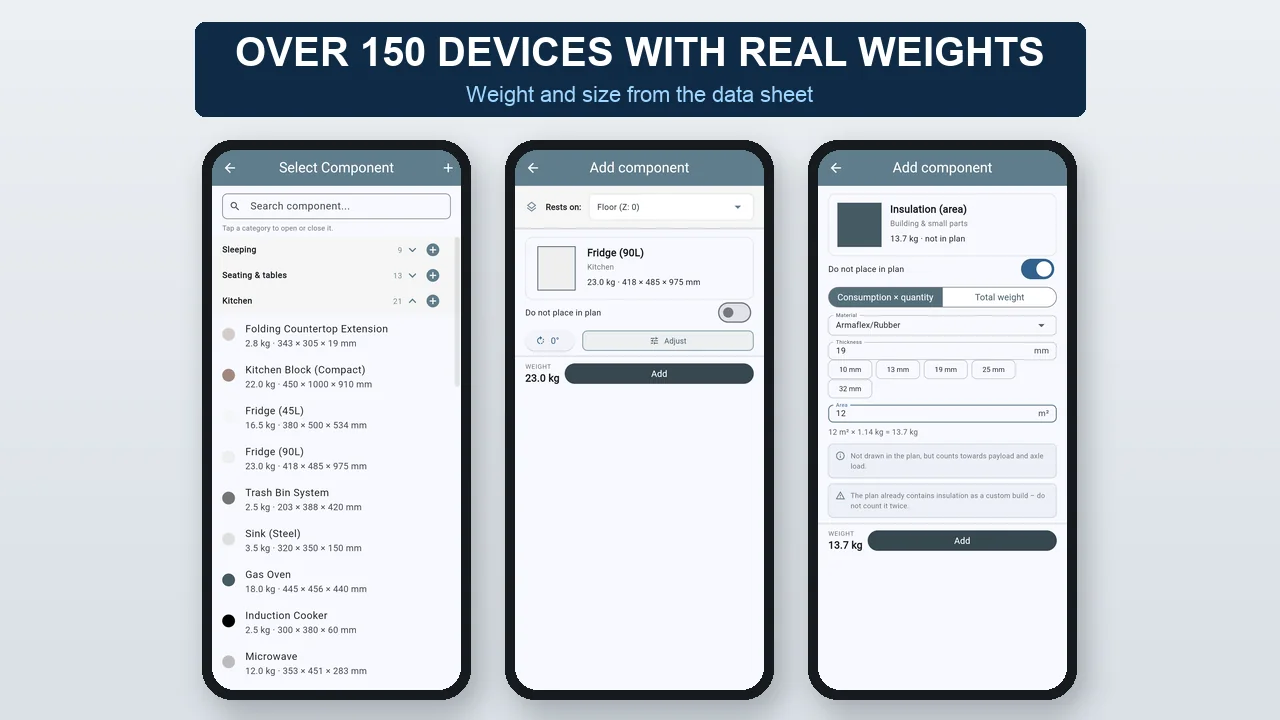
"Fridge, battery, heater – with data-sheet weight."

Over 150 devices in 14 categories with real weight and size. Cables, screws and insulation count too, even if they are not in the plan.

VanLogic – Component catalogue

Collision with a fix

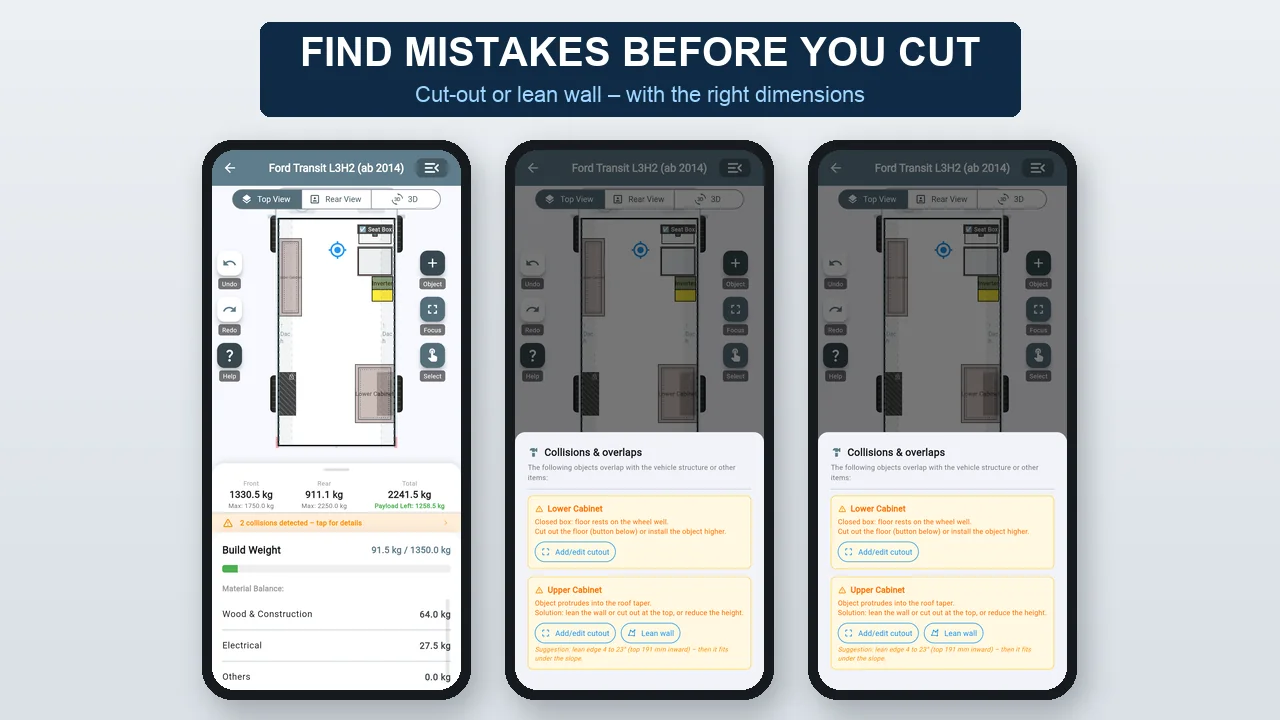
"The app finds the mistake – and the solution."

Cabinet in the wheel arch or under the sloping roof? One tap suggests the right cut-out or wall lean – with the right dimensions.

VanLogic – Collision with a fix

3D with your vehicle

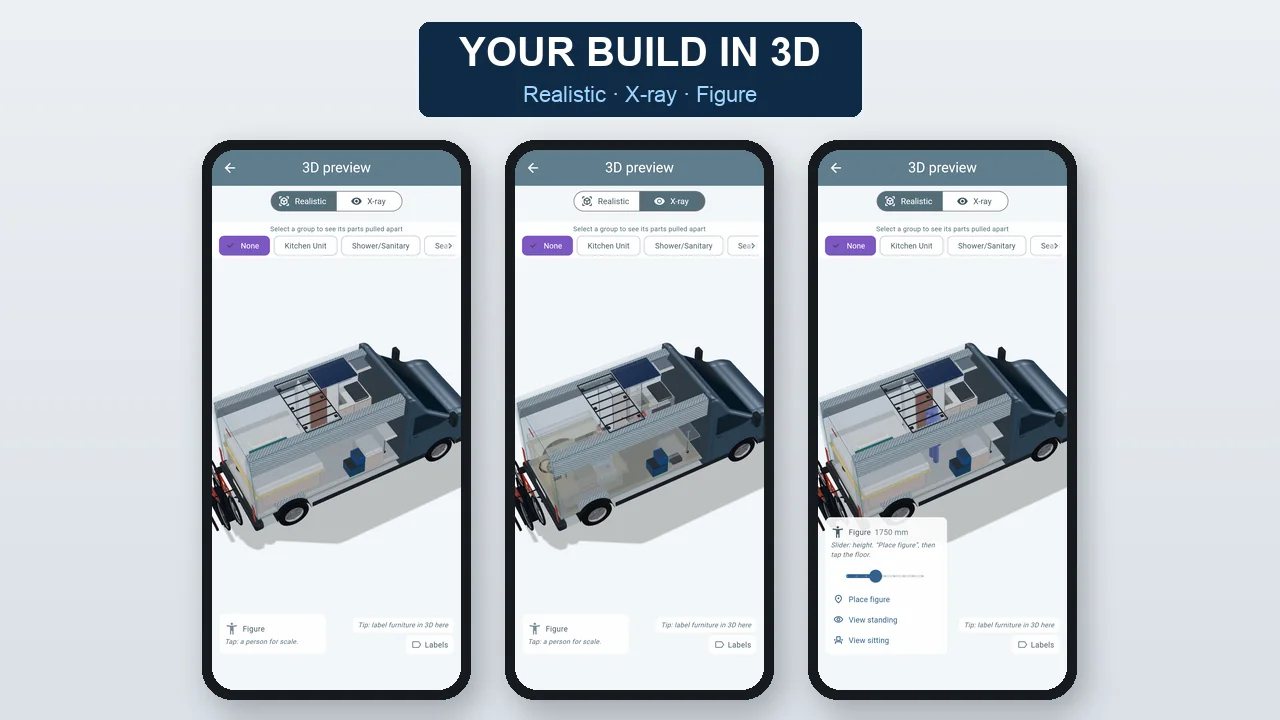
"This is what your build really looks like."

Your model with the wheels on the real axles, devices in their real look. X-ray looks through the furniture, a figure at your height shows the standing height, and in Studio you look through the van standing or sitting.

VanLogic – 3D with your vehicle

Rear, roof & underfloor

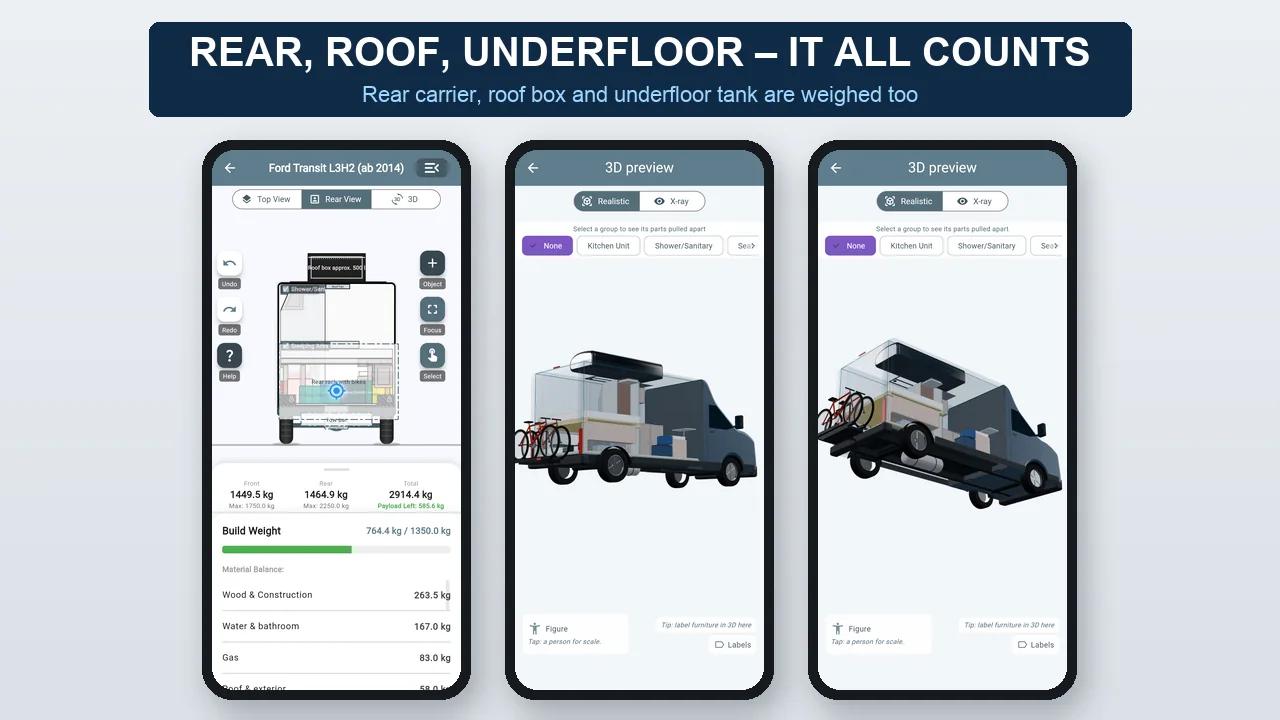
"Every kilo counts outside too."

Rear carrier with bikes, roof box on the roof rack, tank below the floor: plan behind the rear door, on the roof and below the floor – the app shows what it means for axle load and centre of gravity.

VanLogic – Rear, roof & underfloor

Templates & assemblies

"Start faster."

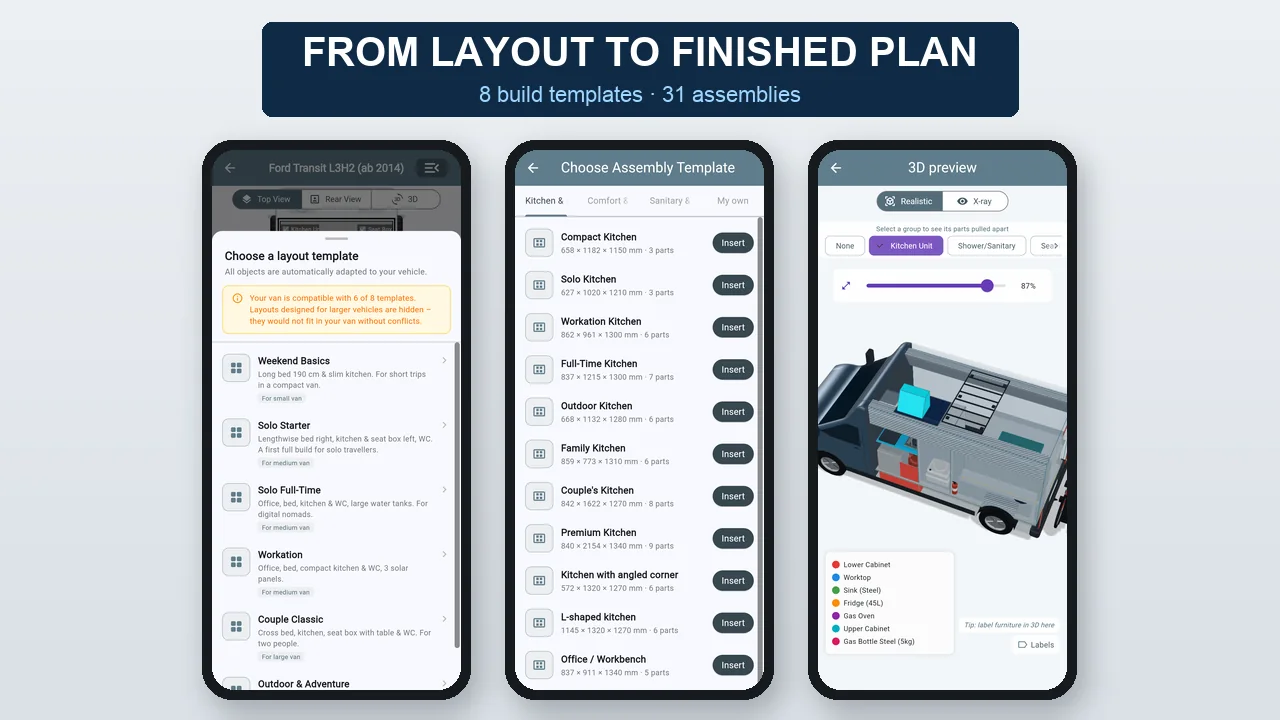
8 build templates adapt to your vehicle, 31 ready-made assemblies such as kitchen, bed or shower. You combine your own furniture into assemblies.

VanLogic – Templates & assemblies

Inspection report & material list

"Facts that convince inspectors."

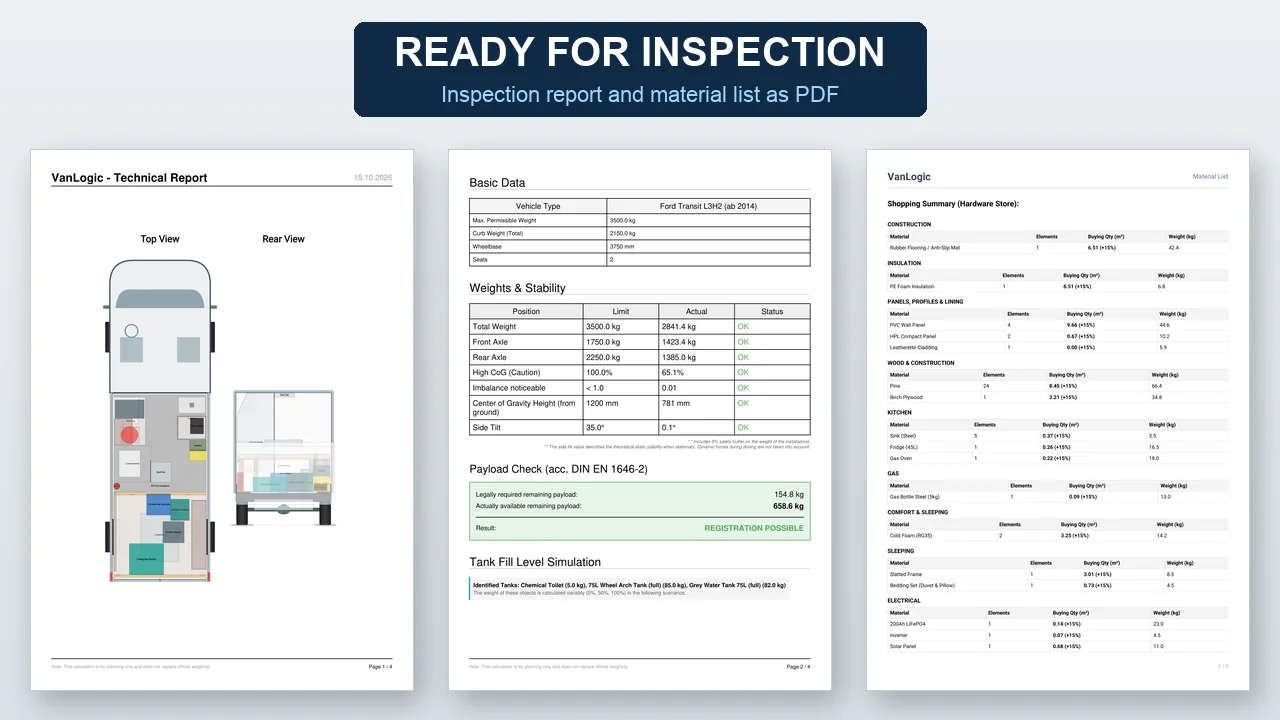
PDF with axle loads, centre of gravity, payload check according to DIN EN 1646-2 and tank scenarios. Plus the shopping and cutting list.

VanLogic – Inspection report & material list

Try it for free

"All features, as long as you like."

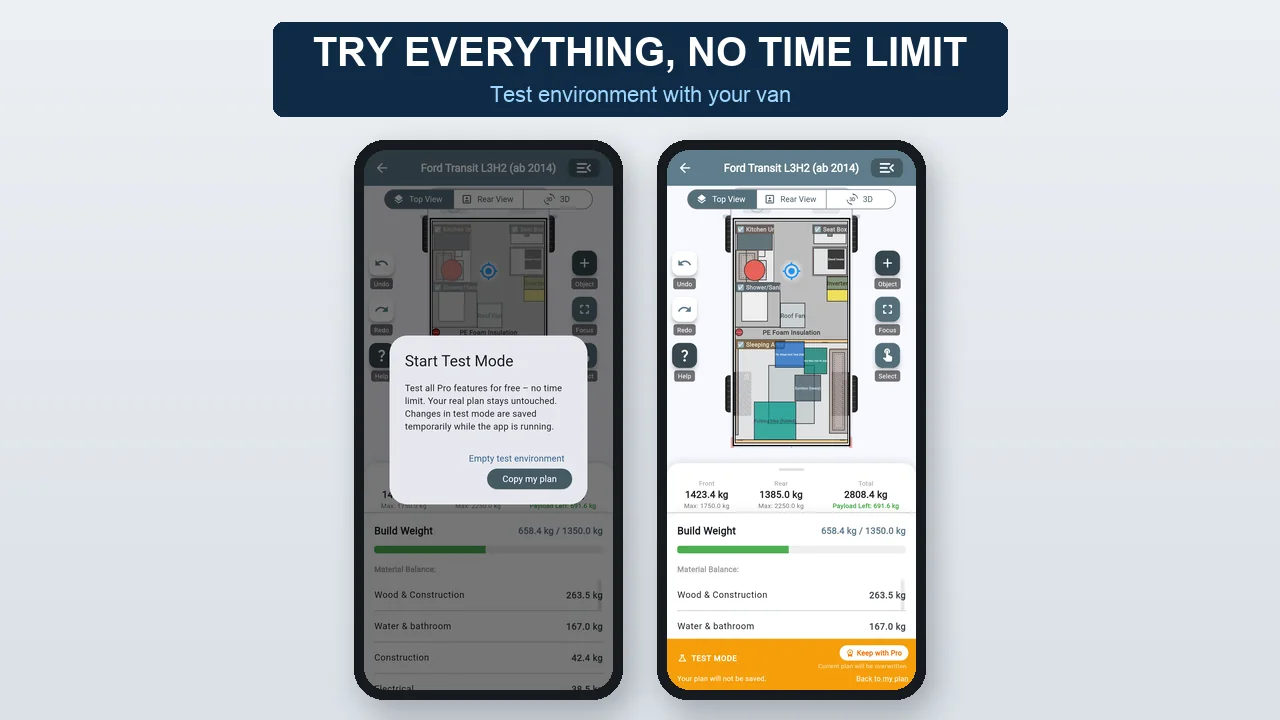
In the test environment you try every Pro feature with your vehicle dimensions – no time limit. You only buy when you want to keep the plan.

VanLogic – Try it for free

Share & save

"Your project, wherever you go."

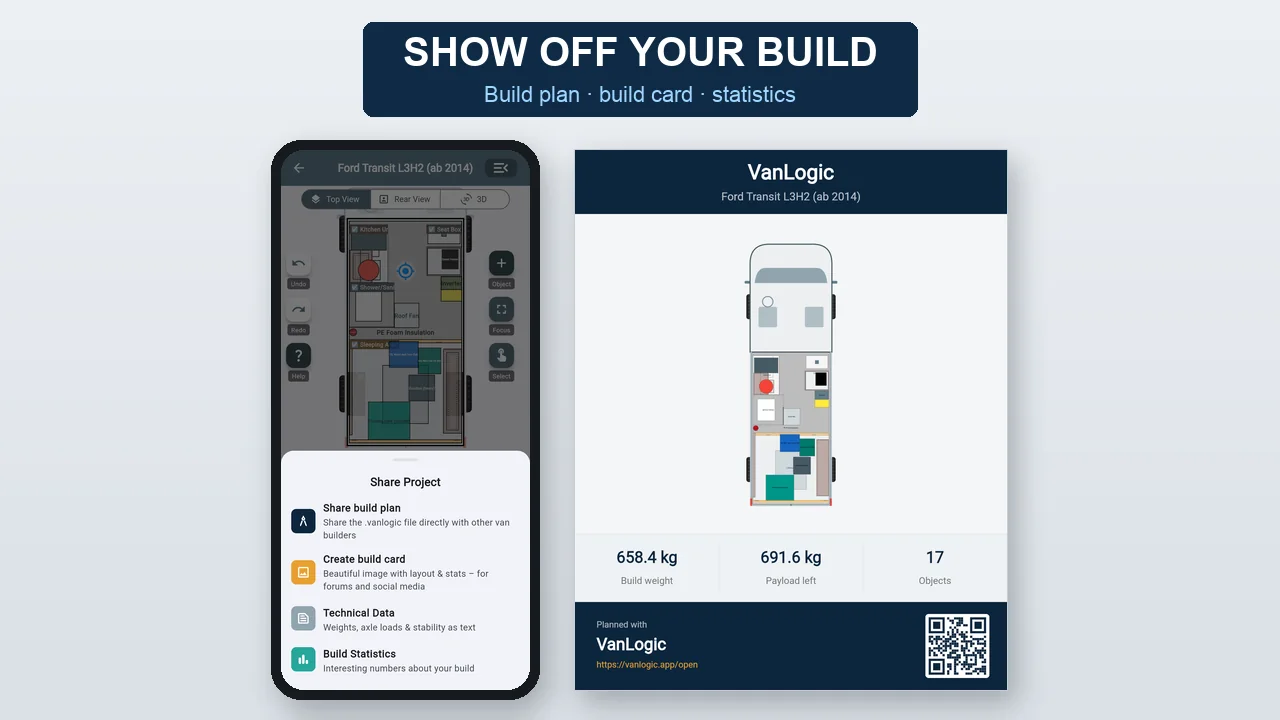
Share the build plan as a file, build card for social media, statistics, export and import – also on your laptop in the web app.

VanLogic – Share & save

Fair testing: try every Pro function

(You can test every Pro feature except import for free: with no time limit in the app, 30 minutes per plan in the browser. Exporting is always free.)

Free

0€
  • Accurate basic 2D floor planning
  • Plan in the browser: web app on the phone, Studio on the computer – every feature for 30 minutes per plan, no installation, no account
  • 44 vehicle templates with real dimensions: EU panel vans (Ducato/Jumper/Boxer, Sprinter, Crafter/TGE, Transit, Master …), VW Bus T2–T6, US vans, classics and expedition vehicles
  • Vehicle structures like wheel wells, roof tapers, sliding doors with collision alerts
  • Instant weight & axle load calculation
  • Instant center of gravity / tipping risk
  • Warning messages for axle loads & limits
  • Limited material/component selection
  • Limited DIY construction methods
  • No internet connection required, plan everything offline
  • Sandbox: try every Pro feature in the app with no time limit – keep it with Pro
  • Share your build: send your plan, build stats & technical data as image/PDF/text
  • Freeform: your own shape for every DIY piece of furniture, drawers and doors on every side
  • Rear, roof and underfloor: plan objects outside at the rear and under the floor – with weight and axle load
  • Measure the distance to any object and type it in exactly
Recommended for builders

Pro

Subscription or one-time purchase
  • Full database: 177 components in 14 categories, 49 materials, 12 insulation materials
  • Unlock your browser: web app and Studio on up to 3 browsers, your plan from the app comes along (from app version 1.9)
  • VanLogic Studio on the computer: big 3D, mouse and keyboard shortcuts, eye-level view standing or sitting
  • Physics analysis: Center of gravity & tipping values
  • Custom materials/components & categories with own weight/density data
  • Object duplication
  • For DIY: all types of construction methods, such as slanted boxes, frames...
  • For DIY: material thickness, shelves, components selectable (affects weight)
  • Import of your projects - unlimited projects
  • Technical inspection limits & warnings
  • Manual dimensions (mm/inch)
  • PDF Export & material list
  • Legal payload check
  • Tank simulation: Full vs. Empty
  • Realistic 3D of your whole build: light, shadows, a figure for scale, labels
  • Assemblies: group multiple objects into one piece of furniture
  • Build templates: 8 ready-made floor plans for your vehicle
  • Assembly template library: 31 ready-made furniture assemblies
  • 3D X-ray view: see through furniture
  • 3D exploded view: assemblies broken down into individual parts
  • 3D construction view: check it directly in the object and assembly editor
  • Create your own assemblies: save them as a template for later
  • Cutouts: cut furniture around wheel arches & more
  • Freeform tools: lean walls, round corners, shape from behind or from the side
  • Leave out panels: e.g. a cabinet without a back or open at the front
  • Collisions with a fix: the matching cut-out or wall lean at the push of a button
  • Fronts without limits: drawers and doors per edge, large side door, own material

Download now for your smartphone/tablet

×