VanLogic Studio
Plan your camper conversion on your computer
VanLogic Studio is VanLogic for mouse, keyboard and a big screen: layout, furniture, weight, axle loads and centre of gravity – with the same calculation as the app.
Opens in its own window – this page stays open.
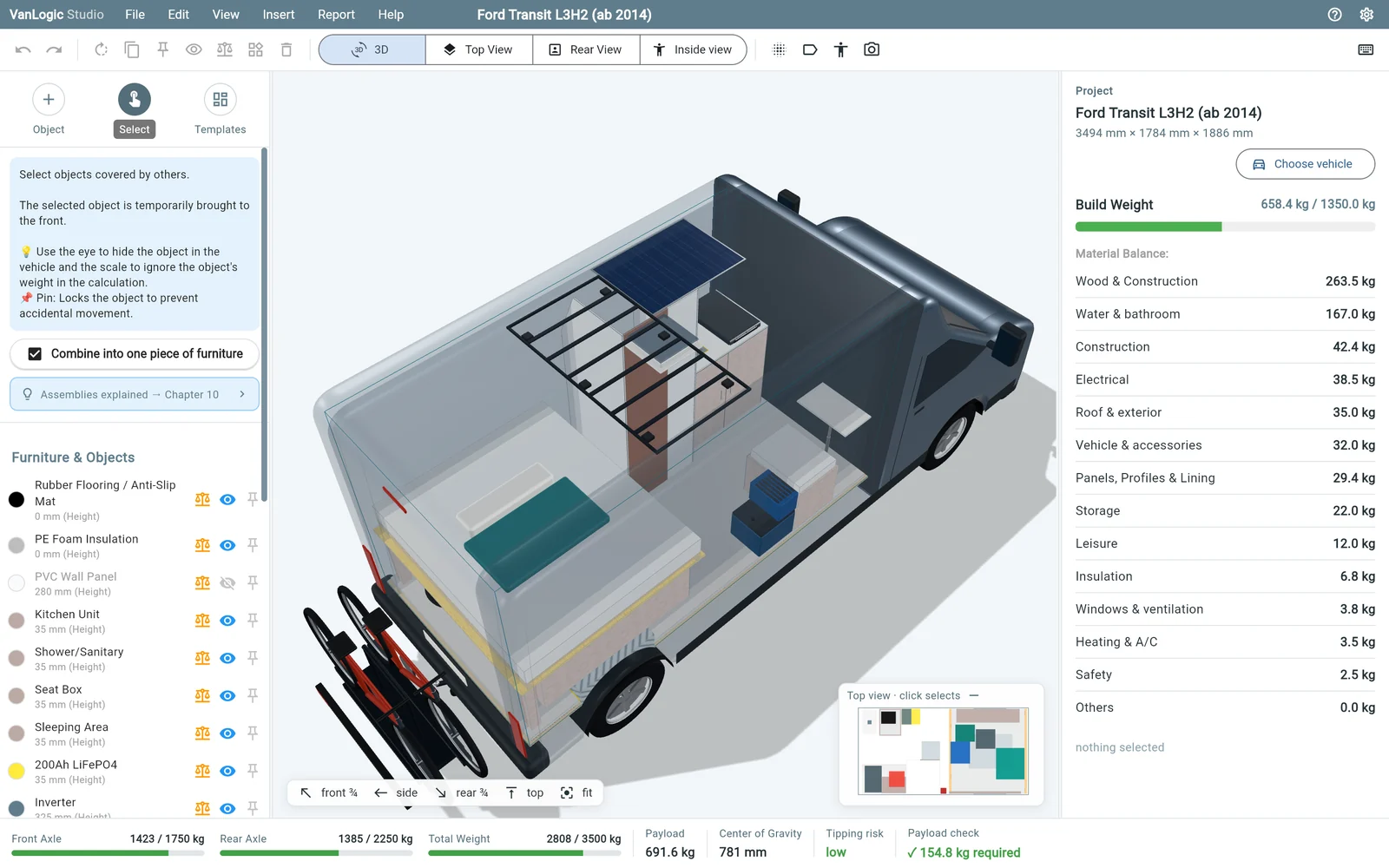
Weight from material and construction
Every piece of furniture gets dimensions, material and construction. VanLogic calculates the weight – no guessing.
Axle loads and centre of gravity live
Every change instantly shows front and rear axle, payload and tipping risk.
3D, top view and rear view
Big 3D view with X-ray, exploded view and a figure for scale, next to the exact 2D views.
Work like on a computer
Inspector for exact sizes, keyboard shortcuts, undo, right-click and dragging with the mouse.
How it works
1Try it
All features unlocked, 30 minutes per plan. Your plan stays saved in the browser.
2Pro in the app
Buy it in the app – on iPhone or Android.
3Unlock the browser
Enter the code from the app. Up to 3 browsers, your plan from the app comes along. From app version 1.9.
One plan for app, web app and Studio
In the same browser, Studio and the web app share your plan. As a .vanlogic file you take it to any device.
What does Studio cost?
Trying it is free: all features, 30 minutes per plan, as often as you like. To keep planning you need Pro – buy it in the app on iPhone or Android and unlock up to 3 browsers with it.
Do I need the app?
For the purchase, yes. Afterwards the app shows a code under Menu › Unlock web app; in Studio you enter it under File › Unlock browser. Your plan from the app can come along. This works from app version 1.9.
Where is my plan saved?
In the browser on your computer. Studio and the web app share the plan in the same browser. For another device, export it as a .vanlogic file.
Does Studio work on a tablet?
On tablets and phones the web app opens – Studio is built for mouse and keyboard.